 Image 1 of 3
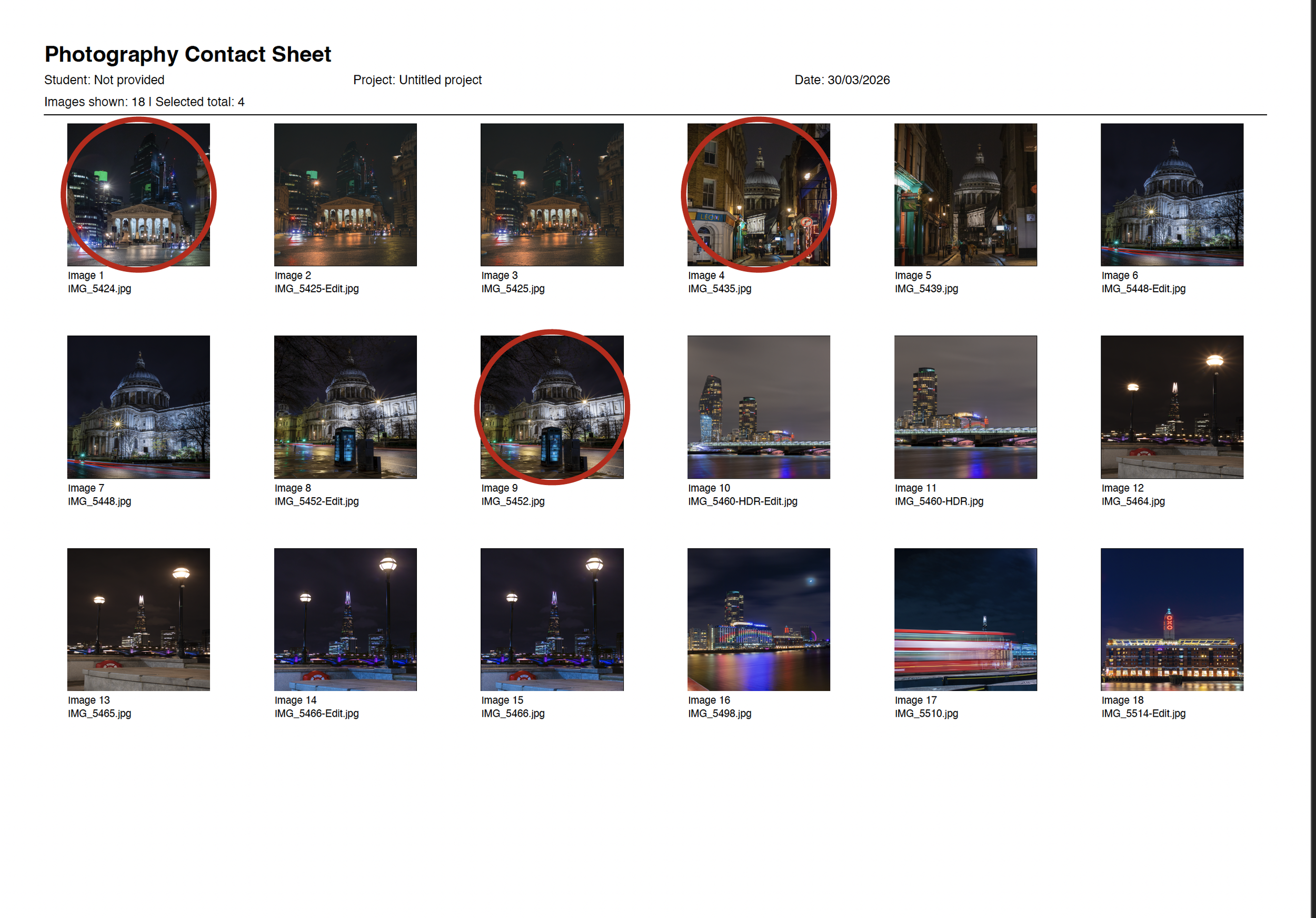 Image 2 of 3
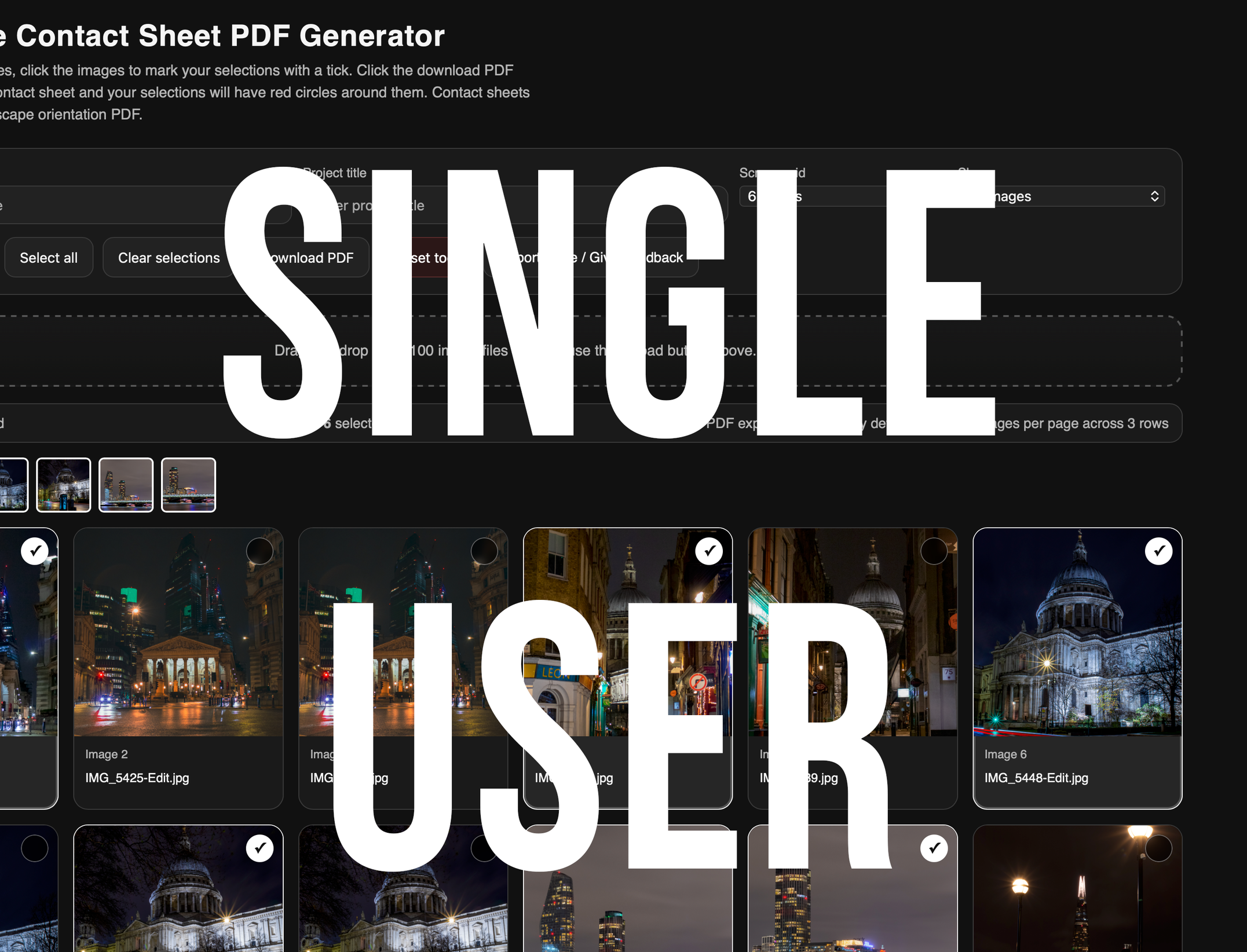 Image 3 of 3
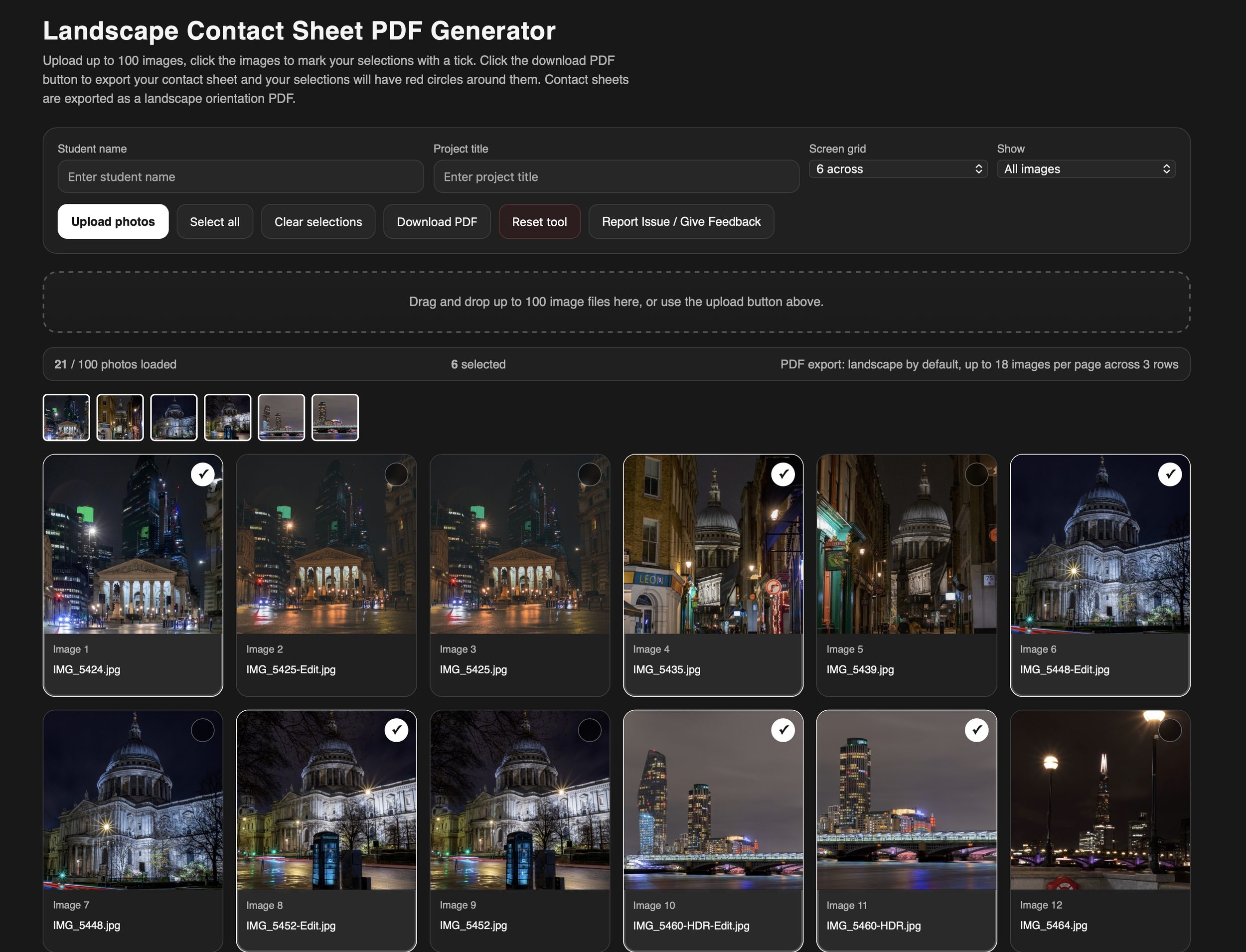
The Photography Contact Sheet Generator is designed to help students create clear, professional contact sheets for coursework, digital portfolios, and sketchbooks—without needing advanced editing software like Adobe Lightroom.
Instead of relying on untidy screenshots of file galleries, students can upload up to 100 images and instantly generate a clean, well-structured contact sheet. Images can be added via drag and drop or by using the upload button, making the process quick and accessible for all users.
To support coursework requirements, images are processed locally and are not stored or shared, helping to protect the integrity and authenticity of student work. Students can also add their name and project title to ensure each contact sheet is clearly labelled and ready for submission.
Selections are made by simply clicking on images. When exported, chosen images are clearly highlighted with a red circle—replicating a traditional contact sheet marking process used in professional photography workflows.
All contact sheets are exported as landscape PDF files, making them ideal for integration into digital portfolios, presentations, and printed sketchbooks.
The Photography Contact Sheet Generator is designed to help students create clear, professional contact sheets for coursework, digital portfolios, and sketchbooks—without needing advanced editing software like Adobe Lightroom.
Instead of relying on untidy screenshots of file galleries, students can upload up to 100 images and instantly generate a clean, well-structured contact sheet. Images can be added via drag and drop or by using the upload button, making the process quick and accessible for all users.
To support coursework requirements, images are processed locally and are not stored or shared, helping to protect the integrity and authenticity of student work. Students can also add their name and project title to ensure each contact sheet is clearly labelled and ready for submission.
Selections are made by simply clicking on images. When exported, chosen images are clearly highlighted with a red circle—replicating a traditional contact sheet marking process used in professional photography workflows.
All contact sheets are exported as landscape PDF files, making them ideal for integration into digital portfolios, presentations, and printed sketchbooks.