 Image 1 of 1
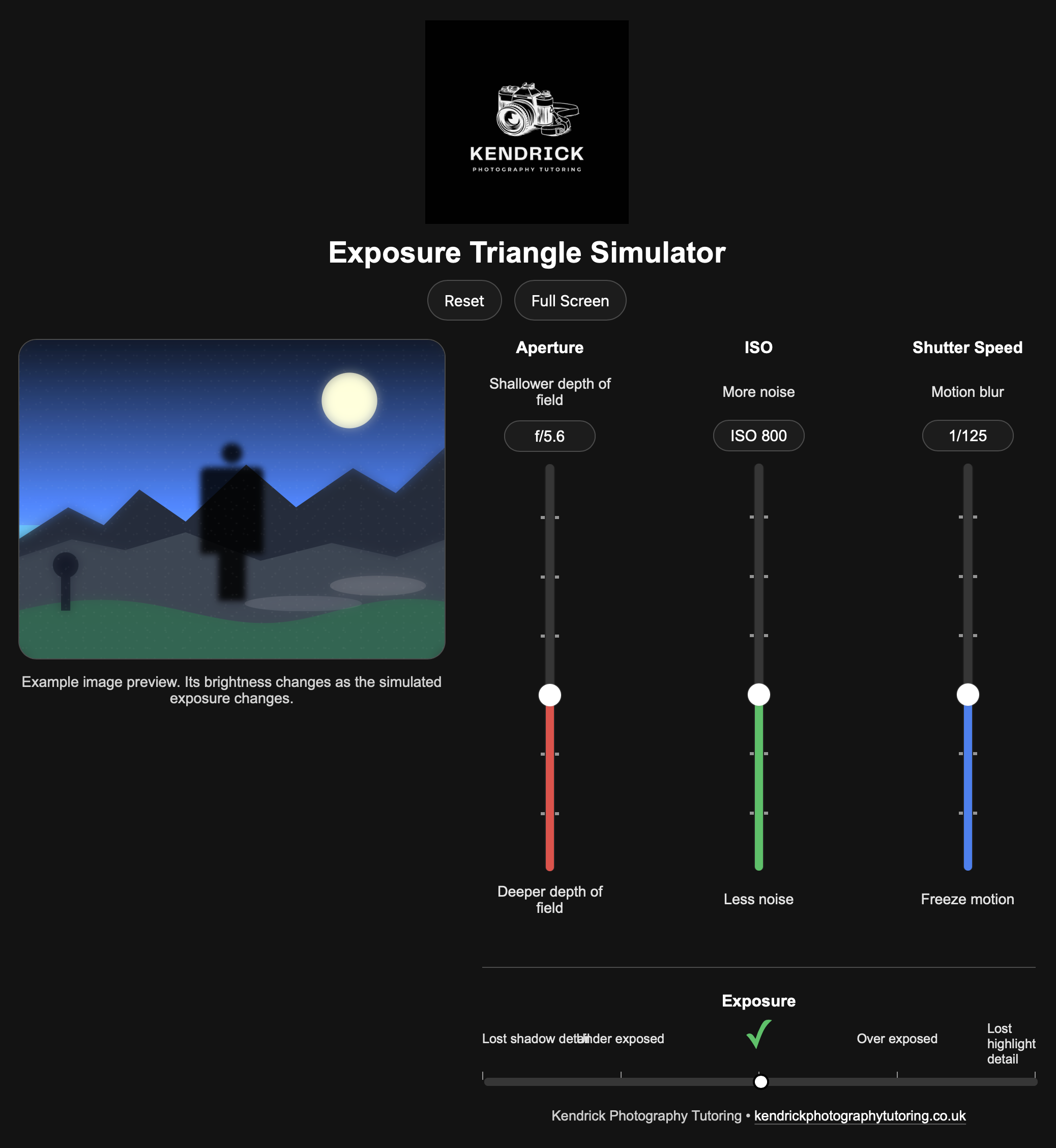
This is a simple piece of code that helps students to learn how the exposure triangle works by using a computer before they take the learning and use it on a camera. It will run in most modern web browsers and can be shared easily with students.
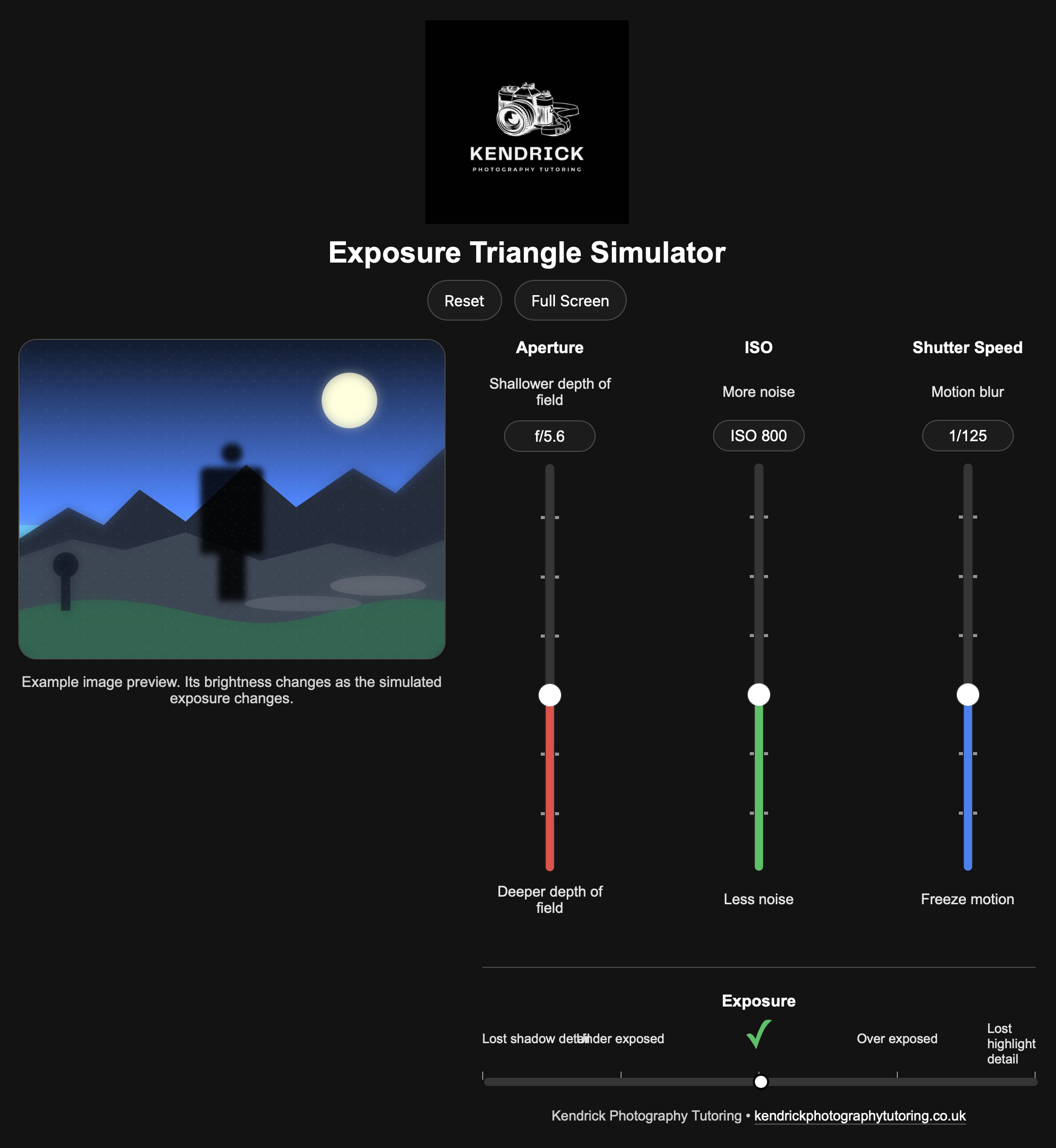
Moving the sliders affects the settings for ISO, aperture and shutter speed, as they do so, an example image will update in real time to illustrate how their changes impact the final image. When exposure is balanced, a tick on the virtual light meter will turn green.
This works well when you can give them a set of challenges to complete over “create me an exposure that would freeze motion” or “create me an exposure that has a shallow depth of field”
Your purchase will be sent to you via a digital download link which will remain valid for 24 hours.
Please ensure that you type your email address accurately to avoid any issues with delivery of your files.
This is a simple piece of code that helps students to learn how the exposure triangle works by using a computer before they take the learning and use it on a camera. It will run in most modern web browsers and can be shared easily with students.
Moving the sliders affects the settings for ISO, aperture and shutter speed, as they do so, an example image will update in real time to illustrate how their changes impact the final image. When exposure is balanced, a tick on the virtual light meter will turn green.
This works well when you can give them a set of challenges to complete over “create me an exposure that would freeze motion” or “create me an exposure that has a shallow depth of field”
Your purchase will be sent to you via a digital download link which will remain valid for 24 hours.
Please ensure that you type your email address accurately to avoid any issues with delivery of your files.